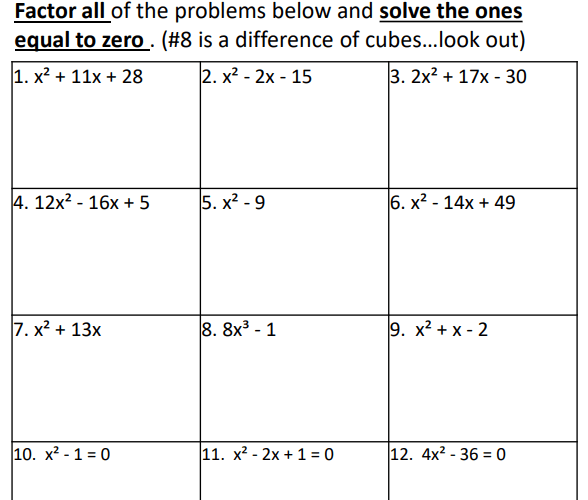
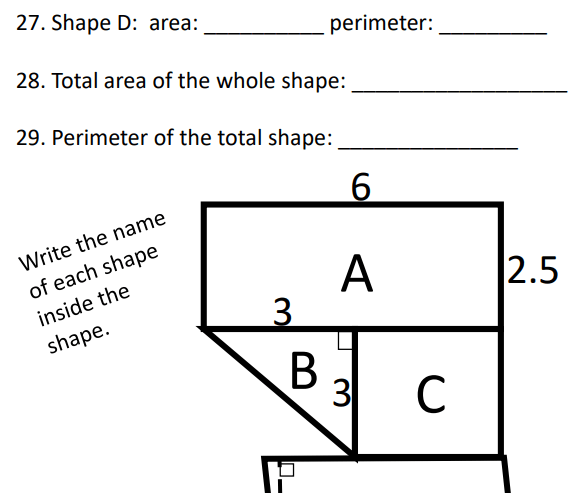
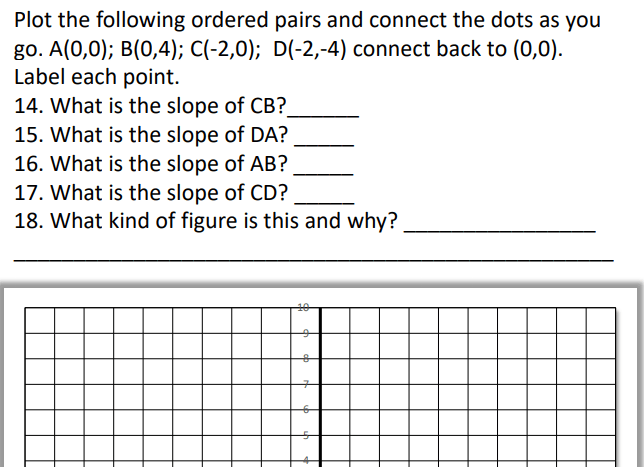
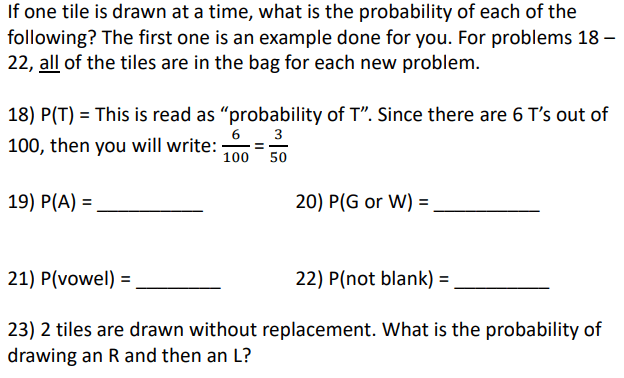
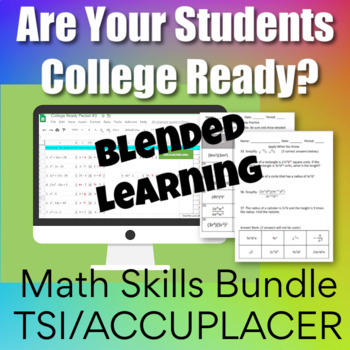
I’ve put together a set of reviews both in PDF form and Digital Form for College Readiness Assessments. The reason for creating this resource is because I started teaching at an Early College High School about 5 years ago and I had no resources for my students to prepare them. I’m in Texas, so my students take the TSI. It is very similar to the ACCUPLACER. The purpose of the test is to see if students are ready to take a college math class or a college English class, but of course I’m focused on the math portion of the test. I found that students struggled on the test and needed more help. I decided to break it into 7 parts:
All 7 Packets come in a bundle AND I’ve started creating a distance learning version in a Google Sheets format. I’m over halfway finished with this bundle. This bundle also includes some Google Forms quizzes that cover each of the packets. These quizzes come separately too so they can be purchased with the PDF versions as well.
I’m fascinated with math no matter what level. I love how the brain learns math. Recently my daughter uploaded a new product to her store that I helped her with. We both love Google Apps and she was really interested in counting with Google Sheets. We had a long conversation about young students and their ability to handle Google Classroom material. We decided that a Google counting resource would be perfect for young students to not only work on their basic counting skills but to learn how to maneuver around in a Google Sheets. Since no one knows what school will be like in the future, we all realize that we need to be prepared for all situations. It’s great to have resources that can work in a normal classroom situation, but also be able to use it in a distance learning situation. This resource is engaging and has a few surprises.
My daughter and I are both obsessed with conditional formatting in Google Sheets. As students work through the sheets, boxes turn colors when answers are correct. There are a also a few times when a message appears. How fun is it, to know when you have answered a question correctly? Instant feedback is very rewarding!
See the example below for a before and after picture:
Notice the mistake and how the cell did not turn blue.After the last answer is typed, there is a message!
The first 4 sheets, walk the student through using the arrow keys, using the delete key, using the undo and redo icons, and more. The rest of the activity is helping students think through counting, what comes next, modeling the numbers and deleting things that don’t belong. If you’d like to see more, go check it out in my daughter’s store. Be sure to click the video preview to see the resource in action.
I hope we get a chance to make more of these activities before school starts. Technology is what it’s all about these days, so hopefully we will have a chance to work on another project together soon!
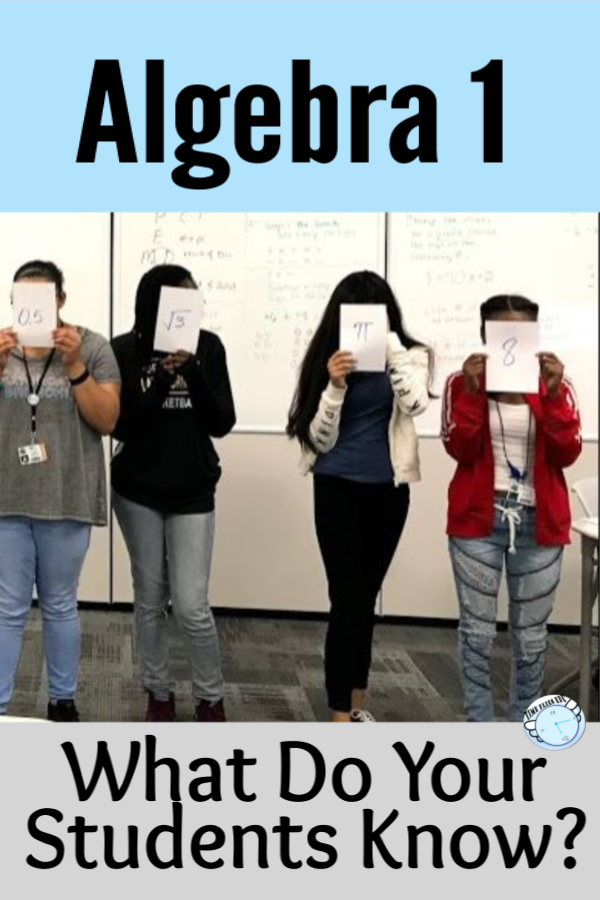
Algebra 1 is a fun but challenging class to teach. So many thoughts run through my head when I think about the beginning of the year in Algebra. One of the biggies is how much do the students remember from their previous math class? This is especially a big question since last year our district went to a distance learning format. I’m not sure what to expect from the incoming students, so I need a plan.
This year will be interesting. Our district has decided to have both online learning and in class learning. I’m working hard to make sure I have plenty of lessons that will work for either scenario. I’m going to start the year off with a two day review of number sense, order of operations and basic operations with integers. I’ve used this in the past because I always get a range of abilities, so I want to know where the students are. I have a print version of what I use and I’ve recently made a digital version. After I do the two day lesson, I give the students 3 quizzes (yep 3… because I want the repetition and plus it’s a challenge). All the quizzes are similar to each other but ask slightly different questions. The quizzes contain 15 questions. To move to the next quiz, students must make an 80 or better. If they don’t, they retake it. (These are timed because I don’t want the students to take too long. Either they know it or they don’t.) This can last up to 3 weeks. It’s not hard to keep up with because I take a grade on each quiz. Here’s a peek at the print version of the quiz vs. the Google Forms version:
The majority of the six weeks should (and hopefully will) be spent on solving equations. The days in the plan are block-schedule days. We have classes every other day for 80 minutes except on Fridays when the classes are only about 35 minutes. Below is plan that I will follow with the activities:
I’ve linked the topics to some of my lessons and worksheets that I used in my TpT store, but as I see the need, I go find content in other places. My district uses a couple of resources that I pull from as well, but our students know how to find answers online for these assignments, so I don’t like to use them for homework.
If you’ve never used quizziz.com, you should try it. The kids really enjoy doing these. I like that the students can do them more than one time. I have the students show work in their journal. Basically it’s just a digital quiz with 4 answer choices. These are teacher-made and there are a ton to choose from on just about every topic.
One of my favorite digital resources is Boom Learning. If you like task cards, then you will love Boom Cards. Again, these cards are teacher-made. There are a variety of ways kids can answer questions. I started creating my own decks. I used two of my own creations the first six weeks. One set of Boom Cards covered patterns and how to write an expression from a pattern. The other set was for practicing solving equations and inequalities. The kids can go through them as many times as they want so they get a lot of practice and get the best grade possible. To use Boom Cards, you need a teacher account. The free account is perfectly fine, but you don’t get to see the reports. The best thing to do is to get a paid account which is only $15 – 35 dollars a year depending on which plan you choose. Make your own decks or purchase decks. There are free choices as well. Click here to go check out my store. I’m brand new at making these, but I can already tell that this will be something I work on because all of my classes love Boom Cards!
After I get used to my students and find out who has gaps in their learning, then it will be time to dive into tutoring. I will engage my students through online tutoring this year. It will be an interesting year to say the least. I know that I will need patience and I will need to be flexible. I’m ready for anything and I hope you are too. I wish you well in your new year!
One of my favorite Geometry lessons is the one introducing inductive and deductive reasoning. It’s fun and engaging. I like to open the lesson by showing the students a YouTube video: Monty Python Deductive Reasoning (Should be called Inductive Reasoning, but oh well!)
This lesson has many opportunities for discussions on how people reason and come to the wrong conclusions. You can bring up the media, social media, racism and many topics where people might come to the wrong conclusions. I also like to talk about predicting weather. The topics are endless.
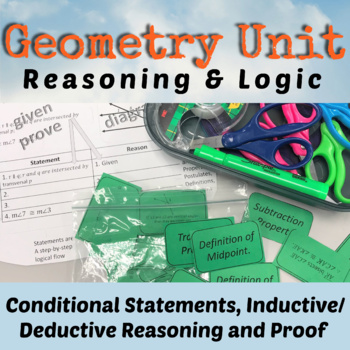
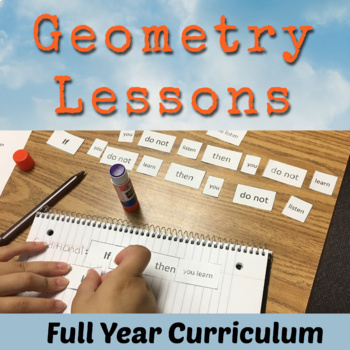
My lesson from Teachers Pay Teachers has several handouts that can be added to the student’s interactive notebook. One of the activities is to have students cut out the examples seen below and place them with the correct headings: Deductive or Inductive.
The lesson also includes some 12 task cards. I like to group the students into fours and have them turn their desks together. They put the task cards in the middle of the tables and select a card, answer it on an answer document and then place the card back into the middle of the pile. Here’s a sample:
Finally, the lesson has a short 3 question worksheet that I like to use as a group quiz. I have the students work together through the quiz. They all have to write on their own paper. I assign each person a letter and they put it beside their name. After about 15 minutes or less, I spin a spinner that has A, B, C, or D on it. The person with the letter I land on, puts their paper on top and that is the one I grade for the group. I tell them this ahead of time. This gives them incentive to work and make sure everyone is participating.
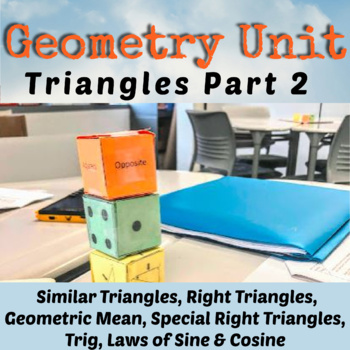
Here is a copy of the resource that I have on TpT. Take a look. It’s also a part of a unit as well as in my Geometry Curriculum.
When you think of college entrance exams, I’m sure the SAT, PSAT and ACT come to mind. More high schools are offering these tests during school. Some students will take these tests 2 or 3 times or more. Why? Because they need a certain score to gain entrance into a school or to apply for a scholarship. The PSAT is a nice warm up to help students know where they stand before they take the real thing.
Every October, schools offer the PSAT/NMSQT to their juniors. Although sophomores can also take it , only the junior scores count toward the National Merit Scholarship competition. Schools are also starting to offer the PSAT 8/9 (for 8th and 9th graders) and PSAT 10 (this is the regular PSAT, but does not qualify for the National Merit Scholarship competition).
It’s good that schools are offering these tests to their students so they can see the format of this test and the way questions are asked. The SAT is a very important test for students planning on going to college. Colleges use the SAT (and/or ACT) to make admission decisions which makes these tests very important for students that want to go to a certain school.
The ACT is another college entrance exam. Some schools are offering this test during the school year to their juniors. The ACT is different and has a science section where the SAT does not. Again, this test requires practice and there is no pre-test like the SAT.
There are a couple of more tests worth mentioning. Nowadays, colleges want students to take a college readiness test to see if students have the skills to start taking college courses. The ACCUPLACER is used by many states. Texas has their own college readiness test called the TSI. Both the ACCUPLACER and TSI are similar. Students scores will determine if they are able to start their English and Math courses on level or if they will need to take some remedial classes first. The ACCUPLACER and the TSI can be taken as early as the 9th grade and in some cases, earlier. Early College High Schools have their students take the college ready tests the summer before their 9th grade year to give them plenty of time to retake them until they pass.
I’ve been teaching high school math for 30+ years, and it was not until I became a teacher at an Early College High School that I became fully aware of all the tests students take. I realized that I needed to be the one to help them get to where they need to be. I know how important it is for high school teachers to help incorporate college entrance and college readiness practice into their curriculum, especially math teachers. I’ve spent a lot of time creating many resources to do just this.
Below, you will find links that will take you to my Teachers Pay Teachers Store where I sell these resources. There are many options, but the option that I recommend if you are planning on doing a ton of review is the Math Test Prep Bundle for College Entrance. It contains the SAT Bundle, ACT Bundle and a TSI/ACCUPLACER Bundle that you see below:
College Readiness and College Entrance Exam Bundle
ACT Math Prep
3 Reviews – 86 Questions
SAT/PSAT Math Prep
6 Reviews – Worksheets, Bellringers and a 5 Week PSAT Plan.
TSI/ACCUPLACER Math Prep
7 Reviews!
I’ve recently started a digital version of the TSI/ACCUPLACER College Readiness Bundle (this is the exact same, but for a digital classroom setting). It is incomplete, but will be finished by the start of the next school year.
It is so important that math teachers take the time to prepare students for their future. Start making a plan now on how to meet the needs of your students. We all have different situations, but I’m sure you can find a way to include study material that will increase your students’ chances of success on college entrance exams and college readiness exams. Good Luck!
Many teachers are in the same boat. You might be thinking…I do a few things online with my students, but not much. If the extent of your online teaching/learning has been Kahoot or Quizlet, then good job! That’s a start. Don’t be ashamed. If you have dabbled in Google Classroom, then Yay! The key is not to be afraid to try new things. There’s always a learning curve, no doubt about it. The more you become familiar with something, then the easier it will be. The key is to start!
So how will you reach your students? Your district is probably scrambling to come up with a plan. I know my district has been having internet issues… as in a virus attacked our whole system. Google Classroom was being used by most of our teachers, but when the district internet and website when down, we couldn’t access Google Classroom. Luckily I was using Blogger. If you’d like to read more about how I use Blogger, then go here: Using Blogger for Online Teaching. I love Blogger because I do not have to rely on my district for anything which is a blessing!
I think it is important to find something you feel comfortable with and something that is free! If you already use Remind with your students, this would be another way to guide them to where you want them to go. If you’ve never used Remind, then check it out here: REMIND. It is not a website, but it is a way to communicate with your students, so let’s say you wanted your students to go to a video, or go do an online activity, you could tell them through Remind!
Once you know how to stay in contact with your students, it’s time to figure out what activities to give them. The reason I love Blogger is because I can use a picture of my resources and place them on my blogspot. How do I check to see if they did it? I’m planning on checking their journal at some point. Right now with COVID-19, I don’t know if we will go back to school anytime soon, so the next thing I gave them was a Quizziz.com activity to see if they understand this material. I love this platform because I can look at the report to see if they did it, how many times they attempted it and how well they did. I stick with these free online tools to check for understanding as well as to teach:
Google Slides – like PowerPoint (use with your google account…if you have gmail, you have google slides)
Google Forms – Good for assessment (if you have gmail, you have google forms)
Hyperdocs – A way to deliver your lessons and provide links to online tools. This site has several templates and tutorials.
Flip Grid – Video Tool (students explain a concept on a short video)
Desmos – Graphing Calculator Tool with Free Lessons – There are two places you will want to use: Free Calculator and Teacher Resources
Screencast-O-Matic – Video your computer screen while you are explaining.
My suggestion is not to overwhelm yourself or your students. Pick a couple of resources that you feel are best for you and stick with them for a while. Ask other teachers in your school what they are using. Get with teachers in your department and share the workload. Some other tools you should check out are Google Meets and Zoom. These are video conferencing tools where you can actually see your students live.
I wish you the best in your online teaching journey. You can do this! If you have any questions, please feel free to comment below. Good Luck!
***New on Teachers Pays Teachers! If you purchase a PDF, then that resource might be eligible to use digitally. Look to the right of the product page and if you see “Create Digital Activity” button, then you have access to a digital resource!
Looks like this on the product page after your purchase:
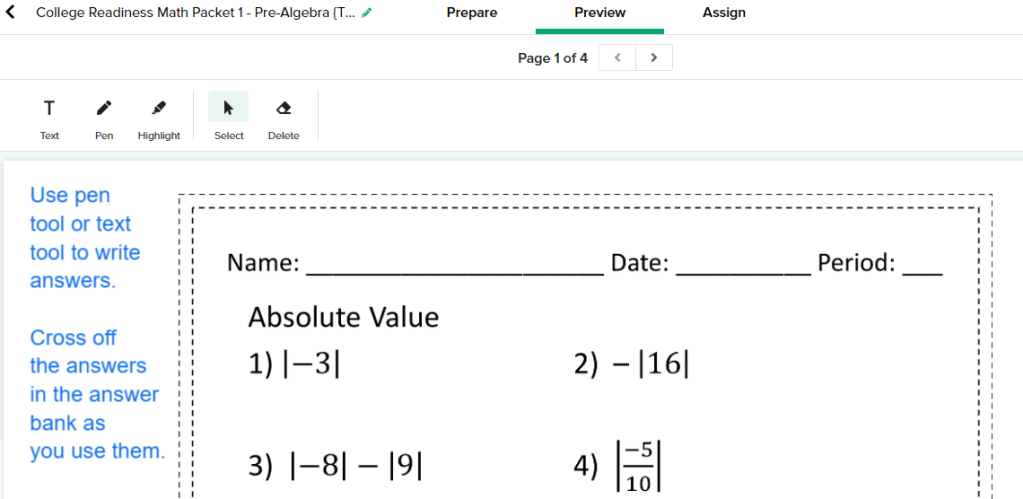
Here’s what it looks like when you are preparing it to be assigned. You can change things as you see fit.
More of my favorite activities that can be used digitally:
I’ve thought many times about writing about how I use Blogger for my classroom. With the coronavirus outbreak, it seems like a perfect time to do this. Like many of you, my district has called off classes for two weeks and who knows if it will go longer. I will still be able to give my students the things they need through Blogger. I’m really grateful that I started using this free platform.
I’ve been on spring break for a week. The week before spring break, we lost our school internet and the school website and all of the systems that we use. I’m in a huge district, so how could this happen? I still was able to use many of my tools because my campus has a second internet since we are connected to a college campus. I was still able to use my Blogspot! I started using Google Classroom at the beginning of the year to see what all of the fuss was about and I found it too restricting. I have too many things in my personal Google Drive and it was a pain to go back and forth between my personal Google Drive and the school Google Drive. I still love Google Forms and Google Slides etc., but I use them through Blogger which is a free blog publishing service by Google. If you have a gmail, then you have access to Blogger!
Here’s how to get to Blogger… Open a tab in Google Chrome. (You need to be signed in to your gmail.) In the top left part of the page you opened, you will see the waffle I highlighted. Click that waffle and you will see lots of stuff you can use. You may need to use the slide bar to find Blogger. Blogger has a funny looking B with an orange background. Click it! Follow the directions to set up the blog. The best thing to do if you are unsure of how to do the set up is to go watch a YouTube video. When I set mine up, I just fumbled my way through it. Don’t worry about a custom domain. You have to pay for domain names, so stick with the name that blogger has you create.
Go check out my Blogspot if you’d like an example. I’m giving you a chance to check it out so that you can use my ideas. It’s been recently updated, so it does not look exactly like the picture below. Here’s the link: https://mrshamitersclass.blogspot.com/.
Now that you have this platform, you just need to give your students the link. I teach 3 different subjects. I could have a Blogspot for each subject, but I thought it would be easiest to have just one. I usually like to give assignments in the sidebar using “pages” and make announcements to all classes on the main section of the blog which is called the “posts”. I’m not always consistent on that, but students know to look in both places. I also have started using a Google Calendar which is another way to attach lessons and/or quizzes and tests.
My purpose for giving my fellow math teachers access to my Blogspot is because I want to help. Even if you do not want to create your own Blogspot, then feel free to rummage through mine and find things you need. Also, I will be posting lessons for my students starting tomorrow.
While I’m at it, I have a free item to give you. A perfect tool during this time of distance learning is Boom Learning. Click here to get my free Domain and Range Practice Boom Cards. If you’ve never used Boom Cards, you can add a new platform to your list of online tools! You will not regret it. They are easy to use and self-checking.
We will all get through this crazy time. Teachers are the toughest people I know. Be strong for your students. They look to us, so we must remain in control and be good examples for our students. I wish you well and please let me know if I can help you any further.
It’s finally trig time! Yay! I love trig. Students tend to enjoy it too because it is so different from everything they have been taught so far. Over the years, I’ve tried different approaches to teaching trig. I know what kids struggle on and I finally feel like I’ve got a good way of teaching it. I see my trig unit broken into these parts:
Intro to Trig
Practice Finding Opposite, Hypotenuse and Adjacent
Setting Up Problems and Solving Them
Practice
Review
Assessment
More Assessment
Trig can be simple but to some students it can be complicated. They actually love it once they get the hang of it and how fun is it to use the calculator this much?! (When I first learned trig, we used charts to find the answers. We did not have calculators that would do the calculations. Yes, I’m old!)
When I created this unit, I knew what the two main issues were with teaching trig: 1) Teaching them which trig function to use 2) Teaching them how to solve the different types of problems
I decided to work backwards a little. In my introduction, I just tell them (As Bill and Ted would say) we are about to embark on an excellent adventurecalled Trig. I introduce a right triangle and tell them to visualize that they are in a right triangular room. They are sitting in one of the corners (not the right angle). I go on to talk about where opposite is and how when you are sitting in the corner, you can touch the hypotenuse and adjacent sides at the same time, but you can’t reach the opposite side. There are some notes we take and then we play a dice game.
For the dice game, I usually get my first class to cut out and put together the dice. Now I have the dice for the rest of the day. I put students into groups of 3 or 4 and they are competing against the rest of the class. There are three dice. One with triangles, one with dots and one with the words, hypotenuse, opposite and adjacent. Click the link below to watch the dice game which practices knowing the different sides with respect to a certain angle. Dice Game Short Video.
Before going any further, I teach kids SOH CAH TOA and we do some practice on finding those ratios. That part is normal progression, but here is the part that might seem a little backwards:I teach them how to solve trig equations next! The students do not know how to set them up yet, but I have figured out that if I go ahead and teach them how to solve the equations, then once they start setting them up, solving is a breeze. I teach them how to solve these three types of problems:
Looking for an angle
Looking for a side and the x is in the numerator
Looking for a side and the x is in the denominator
By the way, when teaching them how to solve these problem, get them to completely solve for x before typing anything into the calculator. Don’t let them find the sin of an angle, then multiply by the side. Let them type the whole thing in: 12 sin(36). I like this method because then the students aren’t rounding answers until the end of the problem. You can see that I did that in the examples above in problems 5 & 6.
Next is the PowerPoint. In the picture to the right, you can see one of the slides in the PowerPoint. Only the triangle with the sun, and the two arrows appear and students have to name which trig function is being referenced. I don’t use degrees for a while, I’ll just use symbols. I don’t want the variables and numbers to get in the way. Toward the end of the PowerPoint, the students are asked to set up the problems and then at the end, they go back to solve them.
Now it’s time to practice. I have 3 worksheets that help students find missing sides and angles. The first one places only an x on one side, a number on a side and gives one angle. This makes it easy to determine the trig function and it is like the PowerPoint. The next worksheet gives the students two sides and asks them to find the missing angle. The last worksheet is the toughest because now the students have to find x, y and z… two sides and an angle. This is much more difficult because it will not be obvious from the start which trig function to use. Students need to see that they actually have a choice sometimes and they need to decide where to start and ignore the extra info. I also throw in some special right triangles and an right triangle altitude problem to see if they remember those rules. The PowerPoint from earlier brings up that there might be more than one way to solve a problem, so hopefully when they get to the worksheet, they will use a quick special right triangle rule instead of trig, but if they can find the answer either way, I’m happy.
I have another resource that is not in this trig unit that I do at this point. It’s the Trig Maze. The students really get into it and work at it. It’s cool to work a problem and then see your answer on the paper (they are thinking, “YAY, I did it right!”) and it’s even cooler that it leads you to the next problem you are supposed to work. The maze comes with an answer document, so you can see all of their work!
Finally, I like to do some task cards with some real-life situations. Some of the task cards contain a ladder against a building, finding a flagpole height, finding the diagonal in a rectangle etc. There are 12 of these problems.
I end the unit with what I call the “Poodle Problem”. It is a group of 5 triangles that have been put together to look like a poodle. Go back and look at the very first picture at the top of this blog. That’s the Poodle Problem! The students find all the answers, then total them for one final answer. How fast is this to grade? Super fast! It’s a great quiz and a great end to the unit.
I’m not finished yet! Now I like to test all of the right triangle content. I have a test that I call the Right Triangle Test that has 10 questions with the following problems:
One Pythagorean Theorem Problem where they have to find the perimeter of the triangle.
One Right Triangle Altitude Problem where they have to find the perimeter of the triangle.
One 30-60-90 Problem where they have to find the area of the triangle.
One 45-45-90 Problem – easy, they just find the hypotenuse
Six Trig Problems – Just find a missing side, except for one problem is like the task cards, but a little tougher.
I had problems with cheating one year, so I went crazy and made 5 versions of the same test. You even have a choice of an answer bank or no answer bank. One of the 5 tests is a shortened version that I’ve used as a retest or a modified test. (It gives the students a little help on setting up some of the problems too.) I don’t like to give long tests. Students get enough testing. I like tests that are short and to the point. As long as I can tell they “get it”, why does it have to be super long?
I’m very happy with this unit. The only thing that it doesn’t contain right now is angle of elevation and depression problems. I’ll try to add this to the unit this summer. These problems were a big deal at one time, but it seems like we’ve gotten away from them in Geometry. I still think it’s good for students to see them.
Trig is fun and different and essential to future math classes. Below is all of my right triangle lessons including the Trig resource I’ve been talking about. What’s next on my agenda after right triangle trig? Law of Sines and Cosines of course! Law of Sines and Cosines is sold separately in my store, but it is also a part of Unit 7 below.
I cannot believe that the 4th grading period has come and gone already. Where does the time go? I’ve concentrated on solving systems, exponent rules and geometric sequences. We have just started the beginning of growth and decay for exponential functions. I feel like I’ve done a lot, but I was talking to a teacher today from another district that said that they are almost finished with the curriculum and they will have about 5 or six weeks to review for the STAAR test. I’ve still got to wrap up exponentials, foil, factor and get through quadratics in the 5th six weeks before I’m ready to start reviewing.
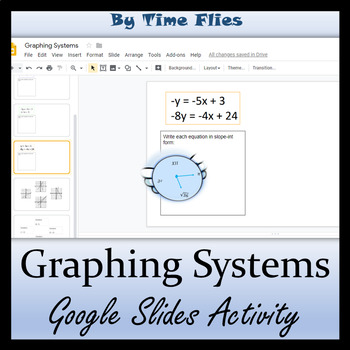
Here are some specifics about what I’ve done this grading period! Let’s start with systems. One thing about solving systems is that if you are behind in your curriculum, this is where you can catch up. You can hold off teaching your students the substitution method and the elimination method until after the test and just make sure they know how to set up systems and that they know how to solve systems on a graph or using linSolve on the nSpire calculator. I did not show them linSolve yet. I showed them how to find the intersection on the graph, but it gets complicated if students need to solve for y or if the graph’s window needs to be altered. LinSolve is a life saver and I’ll show my students how to use it before the test. I have a quick google slides activity that I like to use after I teach students how to graph systems. It also helps me to know which students are still struggling with solving for y. I have three free videos too on solving systems using various methods. These are perfect for a flipped classroom or just extra practice. The video on graphing would be great to show before doing the google slides activity! By the way, be sure to check out the new TEA calculator rules as of 2/13/2020.
I love exponent activities and I have created quite a few for my students to use. I’ve also experimented with different ways to get the students to understand the rules. The STAAR test usually has several exponent problems. I’ve seen some complicated multi-step problems. I try to get my students to understand how to find equivalent answers. I want them to know there is more than one way to write 5x^-2. I do a lot of practice with negative exponents and I work hard on the exponent of zero. I talk about how exponents are kind of like 9th graders, they don’t follow the rule of the problem. They are rebels and follow their own rules. I’ve tried PowerMan too. PowerMan is a fun way to get the students to write down the rules. See below:
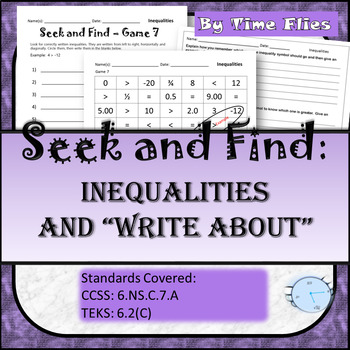
The PowerMan Explanation is at the end of my Properties of Exponents Activity in my store. I tend not to use it as the introductory method of learning exponents. Instead, I wait until I’ve taught the rules and then I’ll say, “Now, here’s how you can remember all these rules.” I get bored with worksheets, so I’ve also got a few digital exponent products. One is a google slides activity and another is just for the product property only and it is a Boom Card activity. I have a Time Flies Boom Learning Store too. If you have never heard of Boom Learning, it is worth your time to check it out!
Before I really get into exponential functions, I like to introduce geometric sequences. This leads perfectly into exponentials. Students like patterns and even though the formulas are not exactly student-friendly, they usually figure out what the explicit and recursive formulas are all about. I like to do some hands-on activities too. This is my lesson that I use. It take the students through all the terminology. This is all they really need to know to be successful on the STAAR. (Which by the way, really isn’t what I’m all about, but it is part of my job to make sure they pass the test!)
My students took a benchmark created by our district this grading period. I noticed that the person that created the benchmark, took the 2019 May test and basically wrote a similar version. The first problem was a slope question and the second problem was a range question for a quadratic just like the 2019 test. I’m kind of glad they did this because I’m going to go over the benchmark and then I can use the 2019 test questions to see if the students understand their mistakes from the benchmark. If your district does not have your students take a benchmark, then I would suggest using the 2018 test as a benchmark. Divide the test up into several days and let the students take it. You can get the students to help you grade it. The TEA website has all the tests and answer keys here.
Out of 28 students, I had 20 pass the test with a 21 or better raw score. There were no surprises there. I had one person, only get 14 correct which is disturbing. She has struggled all year, but I didn’t think she was one of my lower students. I gave the students their benchmarks back this past Friday. I’m having them make corrections on the problems that have been taught in class that they missed. At the point of when they took the test, we had not learned about exponents and quadratics, so all of those questions are not important right now. The way we are correcting the test is I’m having them make three columns on a piece of paper. The first column is the problem number. The second column is their original answer. The last column is for their new answer with an explanation or work shown. I plan on looking at these very closely and working one-on-one with students that are not sure of how to work through some of the problems. I told them it was ok to say, “IDK”. I usually hate them writing this as an answer, but I really do want to know if they are clueless. I have not shown them one single calculator trick so far (nsolve). I hate showing them how to work problems without really knowing what they are doing, but there will come a point when I’ll bite the bullet and explain some of those tricks.
I’ve started a tutoring time during my advisory (homeroom) on Tuesdays. I started this before the benchmark but now I need to reevaluate the students that I have in there. Most will not change, but I have one I can take out and put a different student in his place. They are working in a program provided by our district. I’m not entirely sold on the program. I feel like I’m useless because I’m just making sure they are working in the program. These kids need more than this, I think. They have gaps and I doubt they are getting what they need from the program, but I’m going to continue to use it and give it a chance.
So there you have it. The fourth six weeks is done! My new plan is to focus on finishing the curriculum and focusing on the students with the most issues. I have my own review material that I will be starting. One thing that will be happening soon is I will have my students make some flashcards. I will have them start working through the flashcards and then we will begin taking quizzes over them. I make the students take the quizzes until they make at least an 80 or better. Originally the flash cards were meant to be task cards. You can find the cards and the quizzes in the resource below. I’ve also attached my STAAR Review Bundle. Good luck and hang in there! Our students will succeed!
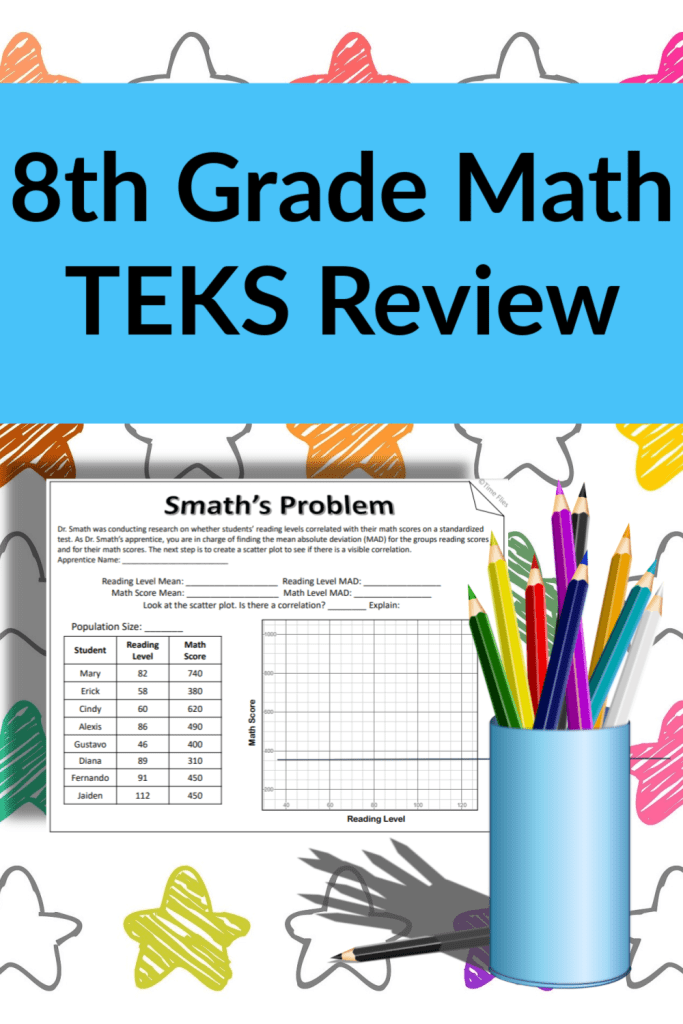
Teachers have enough to do without having to create their own review material. I decided to help 8th grade math teachers by creating a math STAAR review. Below I will explain a little about what you will find in each resource. At the end of each lesson, there is a review problem that I named, Smath’s Problem. It is a combination problem that reviews all of the content in the objective. A strategy could be that if you feel like your students understand a certain objective, then give them Smath’s Problem to see where they stand. A second idea is to go over all the TEKS in the objective lesson, then give Smath’s problem as a quiz.
If you are from Texas, then you know that the objective 1 standards are the process standards. These explain how the students will engage in the content. The tested objectives actually start with objective 2. Below is a quick explanation of the content covered with a piece of one of the reviews that I made. Every TEK is covered in the reviews and is written at the top of the worksheet.
TEKS Objective 2: Sets and subsets of numbers, approximating irrational numbers, scientific notation and ordering real numbers.
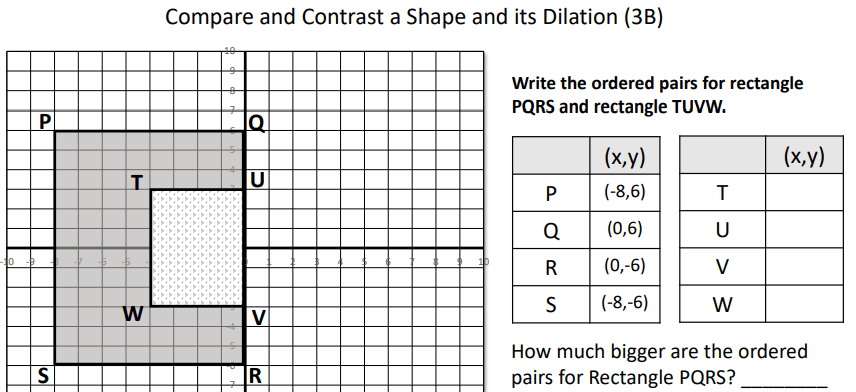
TEKS Objective 3: Setting up proportions, comparing a shape and its dilation, using algebraic representation to show a dilation.
TEKS Objective 4: Using similar right triangles to develop an understanding of slope, interpreting unit rate as slope in proportional relationships, determining rate of change, slope or y-intercept for a table or graph.
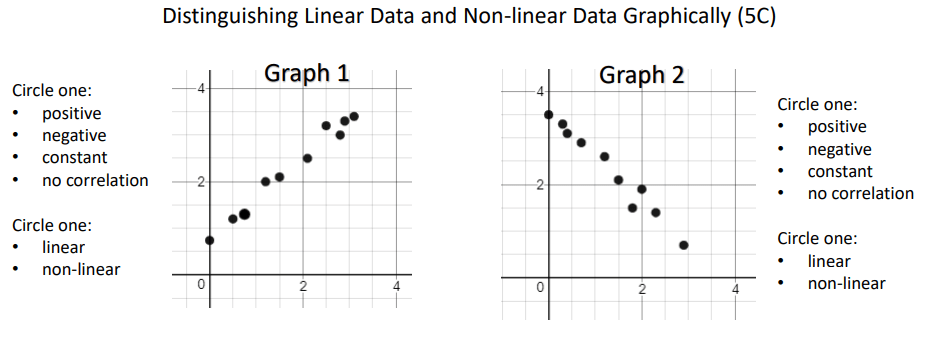
TEKS Objective 5: Multiple-reps, proportional and non-proportional linear relationships, scatter plots and predictions, direct variation, content literacy, functions and non-functions.
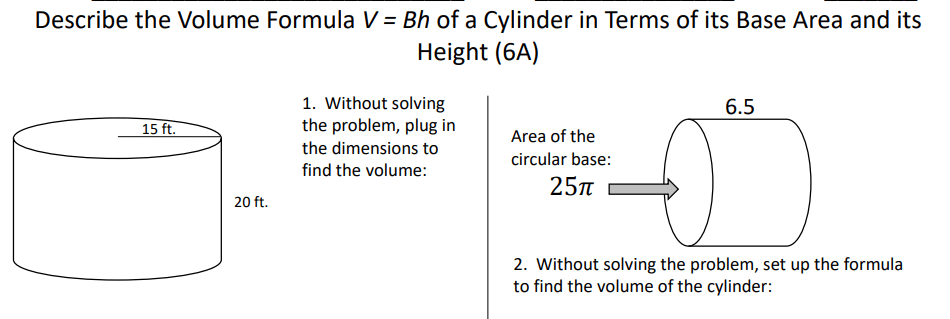
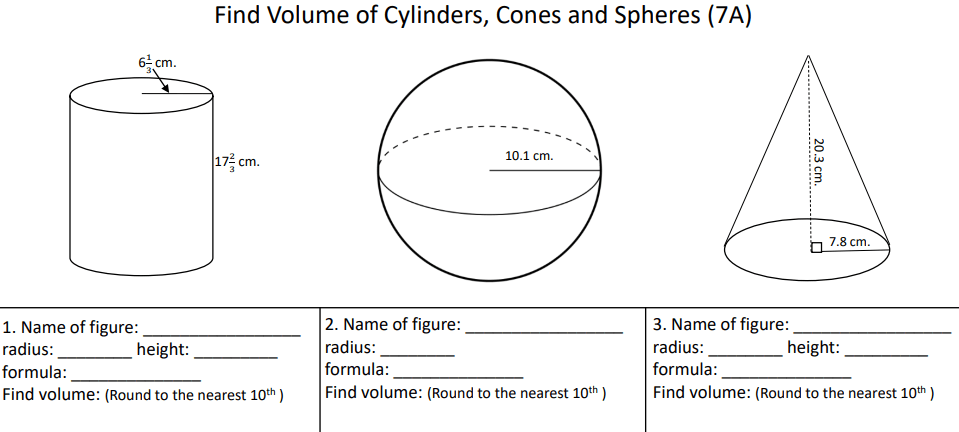
TEKS Objective 6: Plugging into the volume of a cylinder without solving, comparing the volume of a cylinder and a cone, using models to demonstrate Pythagorean Theorem.
TEKS Objective 7: Volume of cylinders, cones and spheres, lateral and total surface area of rectangular prisms, triangular prisms and cylinders, Pythagorean Theorem and its converse, finding distance using Pythagorean Theorem.
TEKS Objective 8: Setting up and solving equations/inequalities with variables on both sides, writing a real-life scenario from a given equation, establishing facts about these geometry concepts: parallel lines cut by a transversal, angle sum and exterior angle theorems of triangles and AA similarity problems.
TEKS Objective 9: Lead up to Systems.
TEKS Objective 10: Understanding of transformations, study of which transformations preserve congruence, writing algebraic representations for transformations, effect on linear and area measurements when shapes are dilated.
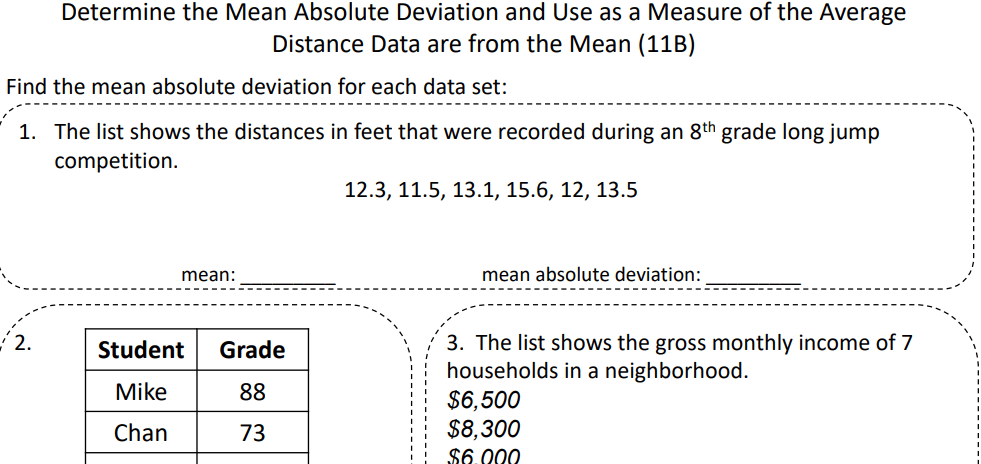
TEKS Objective 11: Determining if a scatterplot has an association, mean absolute deviation, random sampling questions.
TEKS Objective 12: Simple interest and compound interest, analyzing the effects of interest rate and loan length, analyzing how money grows over time, making financially responsible decisions, advantages and disadvantages of different payment methods, estimating the cost of college.
Each objective lesson is sold separately or you can purchase the bundle. Good luck!