Posted on — Leave a comment

Algebra STAAR Review Plan For Algebra and Geometry Teachers

***Please read further, but I recently found out that students that took Algebra and passed in the 2019-2020 school year are exempt from ever taking the STAAR test. When I wrote this, I did not know that. Here it is on the TEA website:

In waiving the required performance on academic assessments under TEC, §28.025(c) and §39.025(a) for spring 2020, the following applies: If a student is on schedule to complete instruction in the entire curriculum in spring 2020 for a course that has a corresponding STAAR EOC assessment, the student is not required to pass that specific test to fulfill graduation requirements. If a student is on schedule to complete graduation requirements in spring 2020 but does not have the opportunity to retake a STAAR EOC assessment prior to graduation, the student is not required to pass that specific test to fulfill graduation requirements but will need to complete the IGC process. For students graduating in future years but taking one of the five courses with a corresponding STAAR EOC assessment this year, those students will not be responsible for meeting that EOC assessment graduation requirement if they earn course credit this year.

This changes my thinking, but I am going to incorporate as much of the Algebra that I’ve listed below through bell ringers in Geometry since they are going to be weak. This will help them in their future math classes! At least now, I don’t have to do it all in one semester. I can spread it out over the year.

Here is this original post:

About 4 years ago, I created an Algebra STAAR Review that covered the newly established Algebra TEKS. Each of the Algebra TEKS is covered on a page of its own. At the top of each page, I put the objective practiced on that page. My thinking was if a teacher wanted to individualize the work, or just cover a certain standard in class, then this would make it easy for them.

Most people love the review, but some people complained that it was too much material. It is too much to try to cover in 2 or 3 weeks before the test. It is a detailed review with a short quiz at the end of each section. Each objective would probably take two to three (or more in some cases) 50 minute class periods to get it done. My mistake was that I did not give the teachers that purchased this review a suggested plan of action. With the craziness of school last year, I feel like it’s time to help teachers with a plan of action for the STAAR test. I have many questions from my district and the state that cannot be answered until we get closer to the school year, but I still want to forge ahead with a plan and I’d like to share it with you.

I am constantly studying the Algebra STAAR Exams. Recently, I took the tests from the last 3 years and put together an analysis. I wanted to see any patterns or trends. TEA has said how many questions come from each category, but when you figure out the details yourself, it’s eye opening. I’m going to teach all of the TEKS, but this helps me know which ones that I really need to emphasize. I took each objective and broke it into each standard within the objective and made tables and graphs for each objective. Below is the one I made for all of the objectives. The columns represent the number of questions in that category for that year.

*You can get a copy of the whole analysis at the end of this blogpost.

Before I share my plan, I wanted to discuss more about how to use the resources. For instance, Objective 2 has nine standards. There is no way to do all nine standards plus the quiz at the end right before the test if you want to review other topics. A suggestion is to use parts of the review during the school year to spiral the information. Pull them out when you need to review for a test or use them as bell ringers. Teachers have no time and before they know it the test is right around the corner. The best time to plan is as early as possible. My review bundle can be used throughout the year AND at the end of the year, so get the review now, print it off, put it in a binder and start thinking about how you can use the material. Also, if you purchase this and see something that needs to be added, just give me a shout out and I’ll see what I can do. (That’s the best part about purchasing from Teachers Pay Teachers. We can revise and edit as needed!) One thing that I really love about creating resources and lesson planning is being able to help other teachers that do not have the time to do it themselves, so here’s my Algebra STAAR TESTING PLAN for 2020-2021. I’m using the dates set by Texas as of July 2020. If things change, then I’ll adjust. I will be teaching both Algebra 1 and Geometry next year. Both groups will be taking the Algebra STAAR at some point since the STAAR testing was cancelled last school year.

EOC BEll Ringers – 10 Weeks, 120 Problems

All of the plans below are based on my Algebra STAAR Bundle and the EOC Bell Ringers-(I’ve changed the title to “Algebra Bell Ringer Review” but it is the same as previous.) The one thing not incorporated into my plan as of now are the quizzes at the end of the objectives. These could be used as pretests, posttests, homework, tutorials etc. I’m sure times will arise that I’m not thinking of right now, where I can use them.


TEST PLAN – December Test

(Testing Window – December 8 – 18, 2020)

Who is the Test For? Students that did not pass the Algebra STAAR in previous years and geometry or other math students that did not pass the Algebra STAAR or never took it because of COVID-19.

*If you see red Algebra TEKS in my descriptions below, they are readiness standards which means they are more of a focus on the test. (Go Look at the Algebra TEKS on the TEA website.)

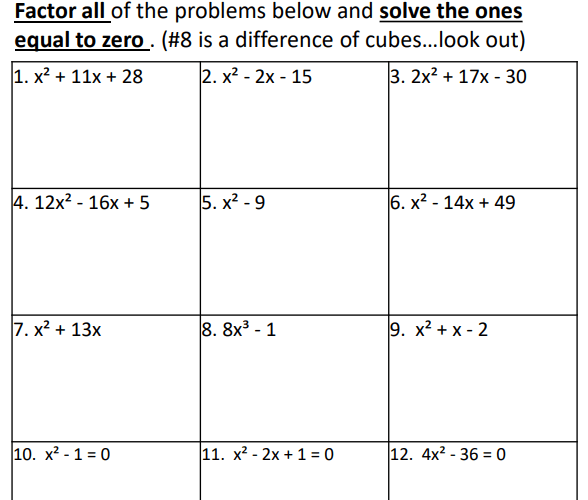
**Note to Geometry Teachers – Let’s face it, Geometry will not be the same. You will need to focus on Algebra when you can. Some Geometry topics will not get as much attention this year!!! Some good news is that we do cover Algebra naturally in Geometry. While we are working on Parallel and Perpendicular lines, we can cover these Algebra Standards: 2B, 2E, 2F, 2G. When we are working with segments, segment addition, angles and angle addition, we can cover the solving equations standard: 5A.

  • Start the 2nd Week of Schooland do:
  • Pick days before Thanksgivingto work specifically on these topics: (***Side Note – My Algebra EOC Review covers all the TEKS and at the top of each page the objective is written, so you can easily pull the TEKS you need!)
    • Linear Topics – Writing and Graphing Equations Slope and Key Features of Graphs (2C, 3A, 3B, 3C)
    • Writing, Graphing and Solving Linear Inequalities (2H, 3D, 5B)
    • Quadratics – Writing, Graphing, Key Features, Transformations (6B, 6C, 7A, 7C)
    • Factoring and Solving Quadratics by Factoring (10E, 8A)
    • Writing and Solving Systems (2I, 3F, 5C)
  • Week of November 30:
    • Laws of Exponents (11B)
    • Exponential Functions (9B, 9C, 9D)
    • Domain and Range (2A, 6A, 9A)
    • Any other last minute details

TEST PLAN – May Test

(Testing Window – May 4 – June 4, 2021)

Who is the Test For? Students in Algebra 1 and students that did not pass the previous Algebra STAAR test.

For the Algebra I Students: (Use the Algebra Review STAAR Bundle)

  • Use these objectives as Bell Ringers OR add them to your homework/classwork starting the 2nd Semester. Each of these objectives is covered on a page in the bundle for that objective:
    • 1st Week: 2B, 2D
    • 2nd Week: 2E, 2F, 2G, 2H
    • 3rd Week: 3A, 3H
    • 4th Week: 4A, 4B, 4C
    • 5th Week: 12A, 12B, 12E
    • 6th Week: 9A, 9B, 9E,
    • 7th Week: 10A, 10B, 10C
    • 8th Week: 10D, 10E, 10F
    • 9th Week: 6A, 6B, 6C
    • 10th Week: 8A, 8B, 11B
    • 11th Week: 12C, 12D
  • End of March: (March 22, 2021)
    • The 3 Quizzes and Task Cards – (This is part of the bundle!) This takes a while to complete. I usually start the Task Cards at the end of March. Last year, I used the Task Cards as flash cards and put them in rings for each student.
  • 2 Weeks Before the Test:
    • First Week:
      • 3B, 3C, 3D, 3E
    • 2nd Week
      • 5C, 9C, 9D, 11B
  • 1/2 Day of Camp :
    • Use the worksheets and the task cards to do: 2A, 2C, 2I
    • Use the matching cards to practice: 3F, 3G, 3H
    • Use the task cards to do: 5A, 5B
    • Use the worksheets to do: 7A, 7B, 7C

For Students that did not pass in previous years or in December:

  • Invite to 1/2 Day Camp
  • Individualized Packets – Use their test results to create individualized packets.

To sum up what you will need to follow this plan:

Here’s a free sample of the Bell Ringers: Bell Ringer Sample
Posted on — Leave a comment

ACT and SAT Test Dates and Math Portion Breakdown

High School teachers and their students should be aware of the ins and outs of both the SAT and ACT exams. Both of these exams are used by colleges and universities to make admission decisions. My goal as a high school math teacher is to be aware of the testing dates and keep my students practicing the skills needed to be successful on either or both of these tests. Here are the testing dates for both exams during the 2026 – 2027 testing season:

MonthSATACT
August 2026August 22___
September 2026September 12September 19
October 2026October 3October 17
November 2026November 7___
December 2026December 5December 12
February 2027___February 27
March 2027March 6___
April 2027___April 10
May 2027May 1___
June 2027June 5June 12
July 2027___July 10

In-School Testing
SAT and ACT in-school testing dates vary by participating school or district. Check with your school counselor for the test dates and options available at your school.

Here’s a free PDF of the test date schedule: SAT and ACT Testing Dates.

When a student asks me which one they should take, I always say both. Some students do much better on one of them than the other. The students should also think about which colleges they are applying to and look at the requirements to help them decide which test to take. More urban high schools are paying for students to take the tests during the school day. This is an awesome opportunity and the students should take advantage. Another thing for teachers to keep in mind is that 11th grade students have an opportunity for recognition and scholarships through the National Merit Scholarship if they do well on the PSAT in October.

If you’re wondering how the SAT and ACT math portions compare, take a look at my chart below:

SAT (2024+)
Digital SAT
ACT (2025+)
Enhanced ACT
1 Math Section with 2 Modules
• 35 min per module (70 min total)
• 44 questions total
• Module 2 adjusts based on Module 1 performance
Calculator allowed on all questions.
1 Math Section
• 50 minutes
• 45 questions
Calculator allowed on entire section.
~75% multiple choice
~25% student-produced response (gridded)
100% multiple choice
4 answer choices per question
1) Algebra (~30–35%)
• Linear equations in one or two variables
• Linear functions
• Systems of linear equations
• Linear inequalities
2) Problem Solving & Data Analysis (~30–35%)
• Ratios, rates, units, percentages
• One- and two-variable data
• Probability, statistics, and evaluating claims
3) Advanced Math (~11–16%)
• Equivalent expressions
• Nonlinear equations and functions
• Systems of nonlinear equations
4) Geometry & Trigonometry (~11–16%)
• Area and volume
• Angles and triangles
• Right triangle trig
• Circles
1. Preparing for Higher Math (57–60%)
Includes:
• Number & Quantity – Real & complex numbers, exponents, vectors, matrices
• Algebra – Linear, polynomial, radical, and exponential equations; systems of equations
• Functions – Graphs, notation, piecewise, logarithmic, transformations
• Geometry – Congruence, similarity, trig, volume, circles
• Statistics & Probability – Data displays, center/spread, probability
2. Integrating Essential Skills (40–43%)
Multi-step and applied problems using:
• Percentages, rates, proportional relationships
• Area, volume, surface area
• Averages and medians
• Converting between forms
• Applying skills in real-world situations
3. Modeling (cross-category)
Appears throughout the test:
• Build or interpret equations
• Use graphs/tables/functions
• Critique or revise models
Comparing the SAT and ACT Math Portions

Now that you know more about these two exams, it’s time to start thinking about how to prepare your students. Even 9th and 10th graders can take the SAT 8/9 and the SAT 10 if your school chooses to facilitate it. All levels of students need practice over these exams. These tests are not like what students are accustomed to. One of the best ways for a teacher to understand how questions are asked is to take some practice tests. Very quickly you’ll see how you need to up your game in your classes and ask questions in different ways.

In 2016, I became a teacher on an Early College High School Campus. This is when my interest in college readiness soared. I also felt bad that in my previous years I did not give much thought about these tests. During that first year on the ECHC campus, I was given a class of seniors that had never passed the TSI (comparable to the ACCUPLACER). I had no resources, so I started researching and soon found out that I was going to need to create my own. Once I got most of my students to pass the TSI, I began preparing them for the ACT and SAT. Again, I had to create my own lessons. I’m happy to say that I’ve got all of these resources in my Teachers Pay Teachers store. I’ve got them in various forms. You can purchase bundles or individual lessons. I’m still enjoying creating these resources and I’m adding things as I go.

I’m glad you made it here. This shows that you are invested in your students. They rely on us to use our knowledge to advance their knowledge! I wish you and your students success and a happy future. Please check out my resources if you are limited on what you have available!

Other Related Posts:

TSI – ACCUPLACER READY

Study Guides for Math Portions of College Entrance Exams and College Readiness Exams

GETTING READY FOR THE OCTOBER PSAT

Are Your Students College Ready? 5 Teacher Challenges!

Resources:

Posted on — 5 Comments

Diving into the First Unit of Geometry Headfirst!

Sometimes you’ve just got to get started and quit worrying about the perfect way to do something! As teachers, we tend to overthink. We want everything to be perfect. In teaching, there is no perfect. Just dive in and GO!

There is no better place to start in geometry than with the three undefined terms: point, line and plane! First, I like to see what students remember from past geometry lessons so I’ll ask them to list as many things as they can think of from their past math classes that had to do with geometry. I am amazed at how many students just sit and stare when I ask them to create that list. Sometimes I’ll have to prompt them by saying, “Do you know any shapes?” If they say yes, then I say, “Then you know some geometry.” I’ll ask again, “Do you know what a right angle is?” They usually say yes, so this is a nice way to get the ball rolling.

Now that the students realize they have an idea of some geometric concepts, I begin my lesson. We talk about how hard it is to define a point without giving an example. I go on to talk about line and plane and we discuss how in real life, there are no lines that go forever on this earth so we have to use examples that come close.

Next, I bring up some other important objects to see if students know what they are, such as segments, rays and angles. Students usually remember these from the past, but they are not familiar with how to name them using symbols. We discuss how to use a combination of letters and symbols to name things and how sometimes, you can use multiple ways to name the same object. Students struggle with writing names of geometric objects the correct way, but they get better as the year progresses.

When I talk about angles, I like to bring out the patty paper. This really gets the definition of an angle across. I like to have students draw two different rays on separate pieces of patty paper. They call one Ray CA and the other Ray CB. We then work on creating different types of angles and then they tape it into their notebook. Regular paper would work for this as well. You can see through regular paper well enough to do this exercise.

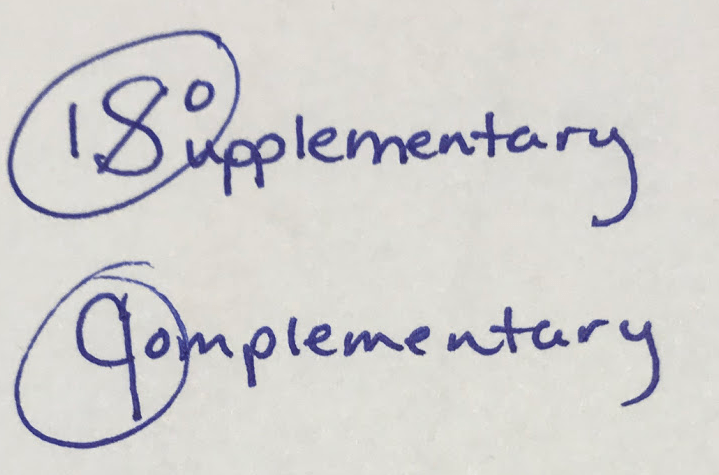
Another geometric concept that students usually know before entering my class is supplementary and complementary angles. If they struggle on knowing the difference, I use this little trick seen on the left. After I show the students this visual, they never forget the difference!

I finally finish up the lecture part of the lesson by discussing adjacent angles, vertical angles and linear pairs. We also need to spend time on collinear points, noncollinear points, coplanar points and noncoplanar points. This lesson is packed full of vocabulary so students need to start an interactive notebook to keep all of this information. ***Play-Doh is a great visual when explaining some of the vocabulary! Imagine three Play-Doh balls place in a line with a pencil or a straw place on top of them. This would show collinear points!

We do some practice worksheets to make sure they are starting to understand. The next time we meet, we will work on the postulates that use these basic terms and try to use as many real-life objects as we can when discussing them. Here’s an example of my Google Slides presentation of one of the postulates:

I like to give a quiz over this lesson after students have completed the work. I give them a warning that the quiz will happen the next class. To make sure they do well on the quiz, we grade each other’s classwork and homework and make corrections and then give it back to the owner. ***In a virtual lesson, have students grade their own. Call on individuals to give their answers. I usually just give a completion grade over this because it’s not usually a pretty grade 🙂

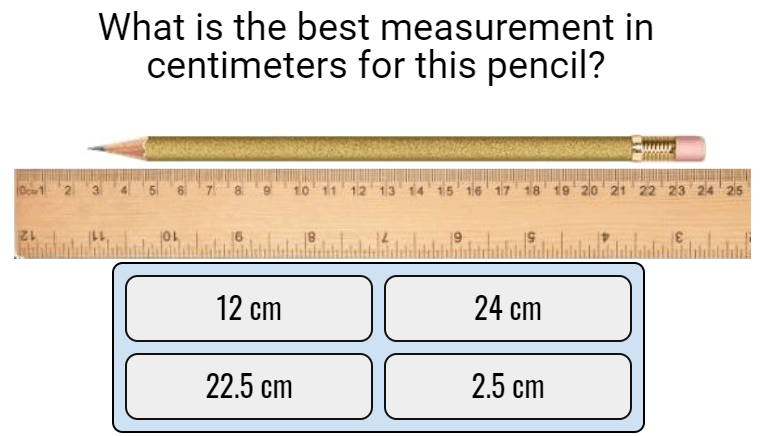
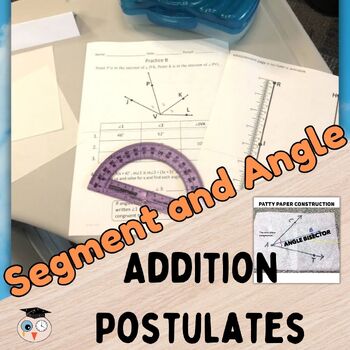
The second big lesson of the year that I cover is segment addition and angle addition. This lesson has everything: measurement, setting up equations, solving equations and more postulates. It’s also great for continuing to discuss the correct way to name segments and angles. I love having students measure things because even in high school, they struggle on this. I find that they have misconceptions on how to measure inches. Students will try to measure something that is 1.125 inches as 1.1 because they are confused on the precision and do not understand that inches are not broken into tenths like centimeters are. (WHEW! Yes, sadly this is true.)

I’m ready to do this lesson virtually or in a live classroom this year by having rulers and protractors ready to go on my digital lessons. I’m anticipating some fun with this and I do expect some questions about accuracy. I know some students will round to whole numbers which is not what I want.

I love love love the equations involved in segment and angle addition. Students get practice on setting up equations correctly and then solving and plugging back in to find the segment or angle. It’s so important to use Algebra in Geometry as much as possible. ***Side note: If you are from Texas, your Geometry students will likely be preparing for the Algebra STAAR that they missed last year, so be sure to cover equations every chance you get.

I made a video preview of the digital version of this lesson if you’d like to take a look:

Before I give a quiz over the segment addition and angle addition material, I want to review all the things that we’ve done so far. I’ll give my students the Boom Cards that cover the first and second lessons. If you have not used Boom Cards, you need to start! I love Boom Cards. You can join for super cheap and there is even a free version, but you’ll want to upgrade after to you use it!

After all this practice, the students are ready for the next quiz. I like to give a lot of quizzes in Geometry because there are so many details and this is a great way to see how students are doing.

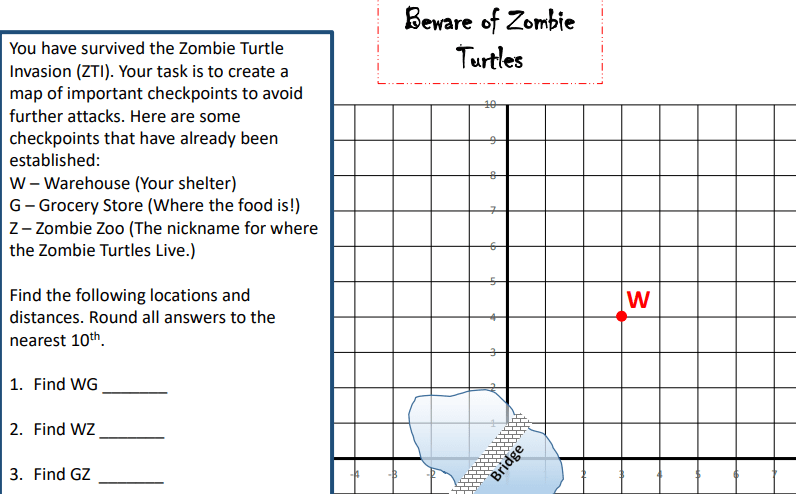
The last lesson in my first unit of Geometry covers distance and midpoint. This activity requires the student to be active! Students will discover both methods and see that they would probably figure out how to find these lengths and points or locations on their own using logic. Students should have learned Pythagorean Theorem in the past and I like to show the students how the distance formula was derived from the Pythagorean Theorem.

The last part of this activity is a silly made up story that I call the Zombie Turtle Problem. (Have you ever heard the Tom Petty song, Zombie Zoo? This song inspired me to do this problem. The song is silly but I love it.) I’ve placed some items on a map and the students have to find different distances and midpoints and then I tie in perimeter. Here’s a snippet of the problem:

I’ve recently made all three of these resources ready for a virtual learning situation. Teachers Pay Teachers has made this possible for all resources that were originally downloaded as a PDF. I’m excited that no matter what situation I go back to in the fall, I’ll have these up and ready to use whether I’m in a live classroom or I’m delivering my lessons via a digital platform.

All of these lessons are in Unit 1, but they come individually as well! Check out the links below. Good luck and I hope you’re excited for your first lessons in Geometry!

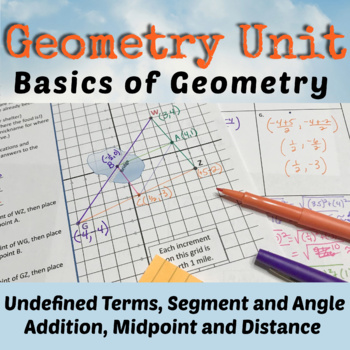
All 4 Resources in One!
1st Lesson in Geometry
2nd Lesson in Geometry
Review for the Quiz over 1st Two Lessons!
3rd Lesson in the Unit
All the Geometry Units!

What else do you like to do in your first unit that you don’t see here? Feel free to leave me a comment below!

Posted on — Leave a comment

Back to School Activities

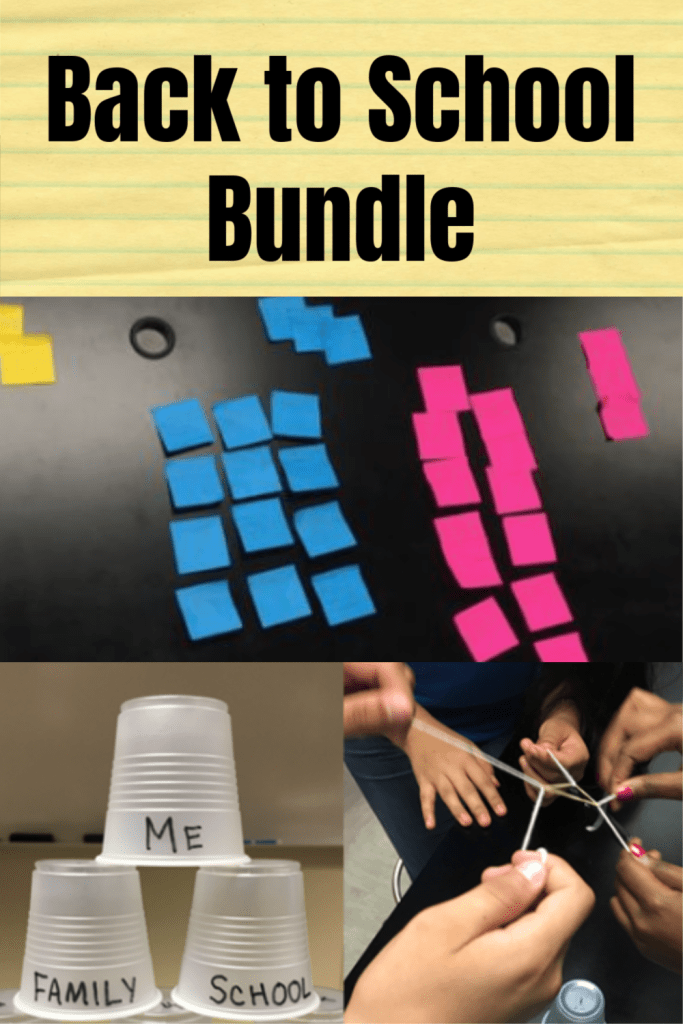
My husband and I use certain activities at the beginning of the school year. He teaches biology and I teach math, but we often collaborate and come up with ideas that we both will use. We decided to put these together into a bundle and list them in his store. Here’s a brief overview and a timeframe for when to use them:

First Day – Get to Know You Activity

This activity is a way to get the students up and moving and meeting each other. The activity comes with 30 pairs of puzzle pieces that are used to get the students to find their match. Once they have a partner, then they start the discussion questions that are written on the board. This activity is fun and the puzzle pieces can be used in the future when you need a way to randomly pair up students.

2nd Day – Individual Goal Setting Activity

Having students set goals is important. This activity gets the students to reflect on the previous year and think about what they’d like to accomplish for the upcoming year. This activity comes in a PDF format as well as a Google Slides format.

2nd or 3rd Week of School – Class Goal Setting Activity

We started using this activity a long time ago. Get students to write class goals and then sign them. We’ve got this activity broken down, so you can work on it a little bit each day until it is done. When finished, you have a poster for students to sign. Great classroom decoration that is a good reminder of what the purpose of being in your class is and your administrators will love it.

Before Starting Group Work – Team Building Activity

Teamwork is important and students need to feel comfortable working together. That’s what this activity is all about. Get your groups together and teach them how to communicate. This activity won’t allow anyone to hold back.

Whether you are a veteran teacher or you are starting your first year, you probably are thinking that you need to start either doing some or all of these activities. Like I said, we’ve put them in a bundle, but if you would like to only purchase a specific resource, then you can do that as well. The main thing, is to start thinking about your first few weeks. These weeks are important because they set the tone for your class. A great start to the year will help you have a successful teaching experience as well as help your students. Dive in and start thinking about what you want to do!

Posted on — 1 Comment

TSI – ACCUPLACER Ready

I’ve put together a set of reviews both in PDF form and Digital Form for College Readiness Assessments. The reason for creating this resource is because I started teaching at an Early College High School about 5 years ago and I had no resources for my students to prepare them. I’m in Texas, so my students take the TSI. It is very similar to the ACCUPLACER. The purpose of the test is to see if students are ready to take a college math class or a college English class, but of course I’m focused on the math portion of the test. I found that students struggled on the test and needed more help. I decided to break it into 7 parts:

Packet 1 – Pre-Algebra Skills: (43 Problems)

Packet 2 – Equations, Inequalities and Linear Functions: (35 Problems)

Packet 3 – Quadratics: (45 Problems)

Packet 4 – Radicals, Roots and Exponents: (37 Problems)

Packet 5 – Geometry Skills: (45 Problems)

Packet 6 – More Geometry: (24 Problems)

Packet 7 – Probability and Statistics: (25 Problems)

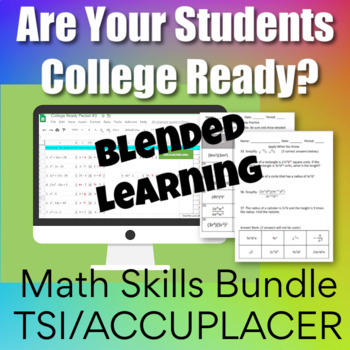
All 7 Packets come in a bundle AND I’ve started creating a distance learning version in a Google Sheets format. I’m over halfway finished with this bundle. This bundle also includes some Google Forms quizzes that cover each of the packets. These quizzes come separately too so they can be purchased with the PDF versions as well.

Posted on — Leave a comment

Kindergarten Math – Counting

I’m fascinated with math no matter what level. I love how the brain learns math. Recently my daughter uploaded a new product to her store that I helped her with. We both love Google Apps and she was really interested in counting with Google Sheets. We had a long conversation about young students and their ability to handle Google Classroom material. We decided that a Google counting resource would be perfect for young students to not only work on their basic counting skills but to learn how to maneuver around in a Google Sheets. Since no one knows what school will be like in the future, we all realize that we need to be prepared for all situations. It’s great to have resources that can work in a normal classroom situation, but also be able to use it in a distance learning situation. This resource is engaging and has a few surprises.

My daughter and I are both obsessed with conditional formatting in Google Sheets. As students work through the sheets, boxes turn colors when answers are correct. There are a also a few times when a message appears. How fun is it, to know when you have answered a question correctly? Instant feedback is very rewarding!

See the example below for a before and after picture:

Notice the mistake and how the cell did not turn blue.
After the last answer is typed, there is a message!

The first 4 sheets, walk the student through using the arrow keys, using the delete key, using the undo and redo icons, and more. The rest of the activity is helping students think through counting, what comes next, modeling the numbers and deleting things that don’t belong. If you’d like to see more, go check it out in my daughter’s store. Be sure to click the video preview to see the resource in action.

I hope we get a chance to make more of these activities before school starts. Technology is what it’s all about these days, so hopefully we will have a chance to work on another project together soon!

Posted on — 1 Comment

First 6 Weeks in Algebra 1

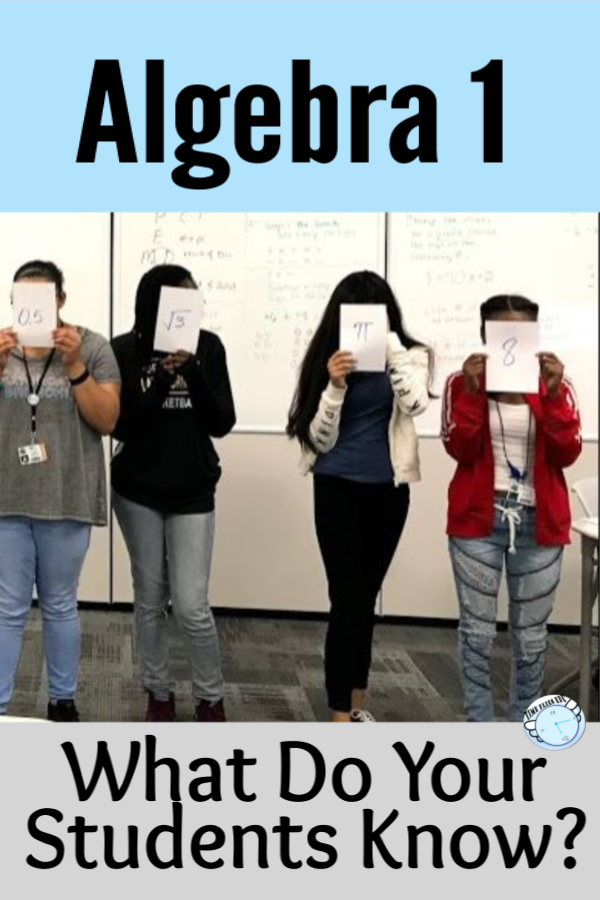
Algebra 1 is a fun but challenging class to teach. So many thoughts run through my head when I think about the beginning of the year in Algebra. One of the biggies is how much do the students remember from their previous math class? This is especially a big question since last year our district went to a distance learning format. I’m not sure what to expect from the incoming students, so I need a plan.

This year will be interesting. Our district has decided to have both online learning and in class learning. I’m working hard to make sure I have plenty of lessons that will work for either scenario. I’m going to start the year off with a two day review of number sense, order of operations and basic operations with integers. I’ve used this in the past because I always get a range of abilities, so I want to know where the students are. I have a print version of what I use and I’ve recently made a digital version. After I do the two day lesson, I give the students 3 quizzes (yep 3… because I want the repetition and plus it’s a challenge). All the quizzes are similar to each other but ask slightly different questions. The quizzes contain 15 questions. To move to the next quiz, students must make an 80 or better. If they don’t, they retake it. (These are timed because I don’t want the students to take too long. Either they know it or they don’t.) This can last up to 3 weeks. It’s not hard to keep up with because I take a grade on each quiz. Here’s a peek at the print version of the quiz vs. the Google Forms version:

The majority of the six weeks should (and hopefully will) be spent on solving equations. The days in the plan are block-schedule days. We have classes every other day for 80 minutes except on Fridays when the classes are only about 35 minutes. Below is plan that I will follow with the activities:

# of Days Topic
2Pre-Algebra Review – PDF Version or Digital Version
1Patterns (Boom Card Lesson)
1.5*Setting up and Solving Equations and Inequalities
1.5*Solving Equations and Inequalities
1*Literal Equations
1*Review Equations and Inequalities
My First 6 Weeks Plan

*Get all of the resources above in a bundle: Equations Bundle

I’ve linked the topics to some of my lessons and worksheets that I used in my TpT store, but as I see the need, I go find content in other places. My district uses a couple of resources that I pull from as well, but our students know how to find answers online for these assignments, so I don’t like to use them for homework.

If you’ve never used quizziz.com, you should try it. The kids really enjoy doing these. I like that the students can do them more than one time. I have the students show work in their journal. Basically it’s just a digital quiz with 4 answer choices. These are teacher-made and there are a ton to choose from on just about every topic.

One of my favorite digital resources is Boom Learning. If you like task cards, then you will love Boom Cards. Again, these cards are teacher-made. There are a variety of ways kids can answer questions. I started creating my own decks. I used two of my own creations the first six weeks. One set of Boom Cards covered patterns and how to write an expression from a pattern. The other set was for practicing solving equations and inequalities. The kids can go through them as many times as they want so they get a lot of practice and get the best grade possible. To use Boom Cards, you need a teacher account. The free account is perfectly fine, but you don’t get to see the reports. The best thing to do is to get a paid account which is only $15 – 35 dollars a year depending on which plan you choose. Make your own decks or purchase decks. There are free choices as well. Click here to go check out my store. I’m brand new at making these, but I can already tell that this will be something I work on because all of my classes love Boom Cards!

After I get used to my students and find out who has gaps in their learning, then it will be time to dive into tutoring. I will engage my students through online tutoring this year. It will be an interesting year to say the least. I know that I will need patience and I will need to be flexible. I’m ready for anything and I hope you are too. I wish you well in your new year!

Happy Teaching!

Posted on — Leave a comment

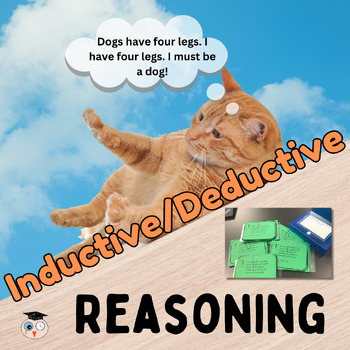
Inductive vs. Deductive Reasoning

One of my favorite Geometry lessons is the one introducing inductive and deductive reasoning. It’s fun and engaging. I like to open the lesson by showing the students a YouTube video: Monty Python Deductive Reasoning (Should be called Inductive Reasoning, but oh well!)

This lesson has many opportunities for discussions on how people reason and come to the wrong conclusions. You can bring up the media, social media, racism and many topics where people might come to the wrong conclusions. I also like to talk about predicting weather. The topics are endless.
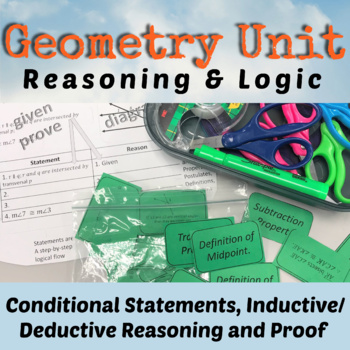
My lesson from Teachers Pay Teachers has several handouts that can be added to the student’s interactive notebook. One of the activities is to have students cut out the examples seen below and place them with the correct headings: Deductive or Inductive.

The lesson also includes some 12 task cards. I like to group the students into fours and have them turn their desks together. They put the task cards in the middle of the tables and select a card, answer it on an answer document and then place the card back into the middle of the pile. Here’s a sample:

Finally, the lesson has a short 3 question worksheet that I like to use as a group quiz. I have the students work together through the quiz. They all have to write on their own paper. I assign each person a letter and they put it beside their name. After about 15 minutes or less, I spin a spinner that has A, B, C, or D on it. The person with the letter I land on, puts their paper on top and that is the one I grade for the group. I tell them this ahead of time. This gives them incentive to work and make sure everyone is participating.

Here is a copy of the resource that I have on TpT. Take a look. It’s also a part of a unit as well as in my Geometry Curriculum.

Posted on — 1 Comment

Study Guides for Math Portions of College Entrance Exams and College Readiness Exams

When you think of college entrance exams, I’m sure the SAT, PSAT and ACT come to mind. More high schools are offering these tests during school. Some students will take these tests 2 or 3 times or more. Why? Because they need a certain score to gain entrance into a school or to apply for a scholarship. The PSAT is a nice warm up to help students know where they stand before they take the real thing.

Every October, schools offer the PSAT/NMSQT to their juniors. Although sophomores can also take it , only the junior scores count toward the National Merit Scholarship competition. Schools are also starting to offer the PSAT 8/9 (for 8th and 9th graders) and PSAT 10 (this is the regular PSAT, but does not qualify for the National Merit Scholarship competition).

It’s good that schools are offering these tests to their students so they can see the format of this test and the way questions are asked. The SAT is a very important test for students planning on going to college. Colleges use the SAT (and/or ACT) to make admission decisions which makes these tests very important for students that want to go to a certain school.

The ACT is another college entrance exam. Some schools are offering this test during the school year to their juniors. The ACT is different and has a science section where the SAT does not. Again, this test requires practice and there is no pre-test like the SAT.

There are a couple of more tests worth mentioning. Nowadays, colleges want students to take a college readiness test to see if students have the skills to start taking college courses. The ACCUPLACER is used by many states. Texas has their own college readiness test called the TSI. Both the ACCUPLACER and TSI are similar. Students scores will determine if they are able to start their English and Math courses on level or if they will need to take some remedial classes first. The ACCUPLACER and the TSI can be taken as early as the 9th grade and in some cases, earlier. Early College High Schools have their students take the college ready tests the summer before their 9th grade year to give them plenty of time to retake them until they pass.

I’ve been teaching high school math for 30+ years, and it was not until I became a teacher at an Early College High School that I became fully aware of all the tests students take. I realized that I needed to be the one to help them get to where they need to be. I know how important it is for high school teachers to help incorporate college entrance and college readiness practice into their curriculum, especially math teachers. I’ve spent a lot of time creating many resources to do just this.

Below, you will find links that will take you to my Teachers Pay Teachers Store where I sell these resources. There are many options, but the option that I recommend if you are planning on doing a ton of review is the Math Test Prep Bundle for College Entrance. It contains the SAT Bundle, ACT Bundle and a TSI/ACCUPLACER Bundle that you see below:

College Readiness and College Entrance Exam Bundle
ACT Math Prep

3 Reviews – 86 Questions

SAT/PSAT Math Prep

6 Reviews – Worksheets, Bellringers and a 5 Week PSAT Plan.

TSI/ACCUPLACER Math Prep

7 Reviews!

I’ve recently started a digital version of the TSI/ACCUPLACER College Readiness Bundle (this is the exact same, but for a digital classroom setting). It is incomplete, but will be finished by the start of the next school year.

It is so important that math teachers take the time to prepare students for their future. Start making a plan now on how to meet the needs of your students. We all have different situations, but I’m sure you can find a way to include study material that will increase your students’ chances of success on college entrance exams and college readiness exams. Good Luck!

Posted on — Leave a comment

Where to Start with Distance Learning

Many teachers are in the same boat. You might be thinking…I do a few things online with my students, but not much. If the extent of your online teaching/learning has been Kahoot or Quizlet, then good job! That’s a start. Don’t be ashamed. If you have dabbled in Google Classroom, then Yay! The key is not to be afraid to try new things. There’s always a learning curve, no doubt about it. The more you become familiar with something, then the easier it will be. The key is to start!

So how will you reach your students? Your district is probably scrambling to come up with a plan. I know my district has been having internet issues… as in a virus attacked our whole system. Google Classroom was being used by most of our teachers, but when the district internet and website when down, we couldn’t access Google Classroom. Luckily I was using Blogger. If you’d like to read more about how I use Blogger, then go here: Using Blogger for Online Teaching. I love Blogger because I do not have to rely on my district for anything which is a blessing!

I think it is important to find something you feel comfortable with and something that is free! If you already use Remind with your students, this would be another way to guide them to where you want them to go. If you’ve never used Remind, then check it out here: REMIND. It is not a website, but it is a way to communicate with your students, so let’s say you wanted your students to go to a video, or go do an online activity, you could tell them through Remind!

Once you know how to stay in contact with your students, it’s time to figure out what activities to give them. The reason I love Blogger is because I can use a picture of my resources and place them on my blogspot. How do I check to see if they did it? I’m planning on checking their journal at some point. Right now with COVID-19, I don’t know if we will go back to school anytime soon, so the next thing I gave them was a Quizziz.com activity to see if they understand this material. I love this platform because I can look at the report to see if they did it, how many times they attempted it and how well they did. I stick with these free online tools to check for understanding as well as to teach:

  • Google Slides – like PowerPoint (use with your google account…if you have gmail, you have google slides)
  • Google Forms – Good for assessment (if you have gmail, you have google forms)
  • Hyperdocs – A way to deliver your lessons and provide links to online tools. This site has several templates and tutorials.
  • Quizziz – Self-checking
  • Boom Learning – Self-checking
  • YouTube – Video Learning Tool
  • Khan Academy – Video and Tutoring Tool
  • Flip Grid – Video Tool (students explain a concept on a short video)
  • Desmos – Graphing Calculator Tool with Free Lessons – There are two places you will want to use: Free Calculator and Teacher Resources
  • Screencast-O-Matic – Video your computer screen while you are explaining.

My suggestion is not to overwhelm yourself or your students. Pick a couple of resources that you feel are best for you and stick with them for a while. Ask other teachers in your school what they are using. Get with teachers in your department and share the workload. Some other tools you should check out are Google Meets and Zoom. These are video conferencing tools where you can actually see your students live.

If you are a secondary math teacher, then I have several distance learning activities in my Teachers Pay Teachers Store that you might be interested in. I also have a Boom Learning Store called Time Flies. You can go to either store and find all kinds of things that would be helpful. Here’s the link to my distance learning resources in my Time Flies TpT store.

I wish you the best in your online teaching journey. You can do this! If you have any questions, please feel free to comment below. Good Luck!

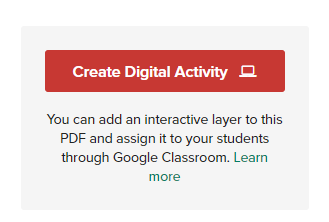
***New on Teachers Pays Teachers! If you purchase a PDF, then that resource might be eligible to use digitally. Look to the right of the product page and if you see “Create Digital Activity” button, then you have access to a digital resource!

Looks like this on the product page after your purchase:

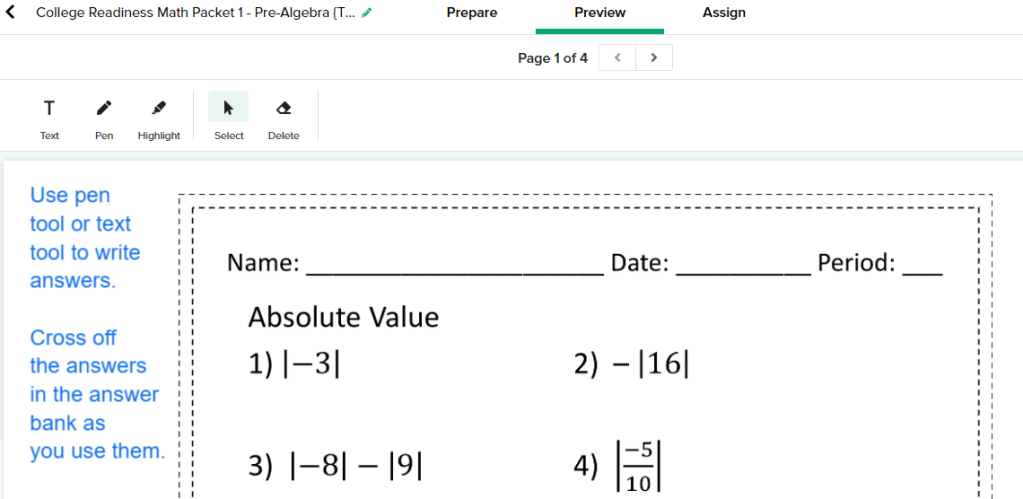
Here’s what it looks like when you are preparing it to be assigned. You can change things as you see fit.

More of my favorite activities that can be used digitally: